Data Risks in Home Security Cameras: What Homeowners Need to Know
Data security risks are usually driven by three things: how the device is built, how the account is protected, and where your video is stored. If you use internet-connected cameras, video doorbells, smart locks, or alarm hubs, the real question is not whether they are useful, but how resistent they are to hacking, physical theft and signal interception.
According to the Cybersecurity and Infrastructure Security Agency, internet-connected devices should be protected with strong unique passwords, multi-factor authentication when available, and regular software updates. For home security products, those basics matter because cameras and apps are only as private as the account and software behind them.
How secure is video footage from a home security system?
Video footage can be reasonably well protected when the provider uses encryption, account protections, and ongoing security updates, but security is never automatic. The Federal Trade Commission advises consumers to review privacy settings, change default passwords, enable multi-factor authentication, and understand whether footage is stored locally, in the cloud, or both.
For a homeowner, that means footage security depends on the full chain. A strong camera with a weak account setup is still exposed. A strong password with a vendor that stops issuing updates can become a problem. A local-storage setup may reduce cloud exposure, but it can create different risks if the recorder is stolen or if remote access is poorly configured.
What are common hacking risks with smart cameras and doorbells?
The biggest risks are reused passwords, missing updates, weak account recovery settings, and unclear data-sharing practices. According to the National Institute of Standards and Technology, cybersecurity risk management depends on identifying assets, protecting access, detecting issues, and responding when something goes wrong. That framework is broad, but it fits home systems well.
Common risks are in a few predictable places:
- Passwords that are used on more than one site or device
- Accounts without multi-factor authentication
- Products that no longer receive security updates
- Apps with broad permissions that you never reviewed
- Cloud storage terms that are vague about retention or sharing
- Old routers or weak Wi-Fi settings that expose the whole network
Why account security matters as much as camera hardware
A hacked login can expose live feeds even if the camera itself was never directly compromised. The FTC consumer guidance on home security cameras specifically points users toward stronger account protection because access often happens through the app and cloud account rather than through someone tampering with the device in person.
If a provider offers multi-factor authentication, use it. If the app lets you review signed-in devices or revoke sessions, that is worth checking before you install cameras in bedrooms, nurseries, or private interior spaces.
Why update policies deserve close attention
A published update policy tells you whether the manufacturer treats security as an ongoing responsibility or as a one-time issue. The ioXt Alliance, which publishes security requirements for connected devices through its certification program, includes items such as no universal default passwords, vulnerability disclosure, software update capability, and secure data handling in its product security pledge and certification framework.
Is cloud storage safer than local storage for security footage?
Neither option is automatically safer, because each protects one risk while creating another. Cloud storage can protect footage if a camera or recorder is stolen from your house, while local storage can reduce the amount of footage held by a third party.
Cloud systems usually make remote access easier. They also require trust in the provider’s account security, infrastructure, and privacy policy. Local systems can keep more control in your hands, but they depend on secure network setup, secure recorder access, and physical protection of the storage device.
For many homeowners, a hybrid setup is the most balanced choice: local recording for continuity, plus limited cloud storage for critical events if the provider’s privacy terms are acceptable.
What to check in a cloud video policy
Look for plain-language answers on retention length, deletion controls, encryption, account alerts, and whether footage may be disclosed in response to legal process. According to the Electronic Frontier Foundation, privacy evaluation should focus on what data is collected, how long it is retained, and who can access it. While EFF is an advocacy organization rather than a government body, that framework is useful for comparing consumer camera services.
What security features should you look for before buying?
The right shortlist includes account protection, update support, and privacy controls before it includes premium video features. Resolution matters, but it does not tell you whether your footage and account are well protected.
When comparing products, prioritize these verifiable features:
- Multi-factor authentication for the app account
- Unique password setup during installation, with no shared default credentials
- Automatic or easy-to-install firmware updates
- Published support or end-of-life policy
- Encryption claims explained in the provider documentation
- Clear storage options, local, cloud, or both
- User controls for deleting clips and managing shared access
- Login alerts or device session management
- A public vulnerability disclosure or security contact page
If you are building a broader connected setup, Abodence also covers smart home security integration, which matters because adding locks, sensors, and phone controls increases convenience but also expands the number of connected accounts and permissions.
Where do homeowners make common privacy mistakes?
The most common mistakes happen during setup, not after a dramatic breach. People often accept default settings, skip account protections, place cameras in overly private spaces, or share app access more broadly than needed.
Another frequent mistake is buying on price alone. A cheaper camera can be the right choice if it has strong update support and clear privacy controls. A more expensive model is a poor value if the vendor is vague about security maintenance or requires broad data collection for basic features.
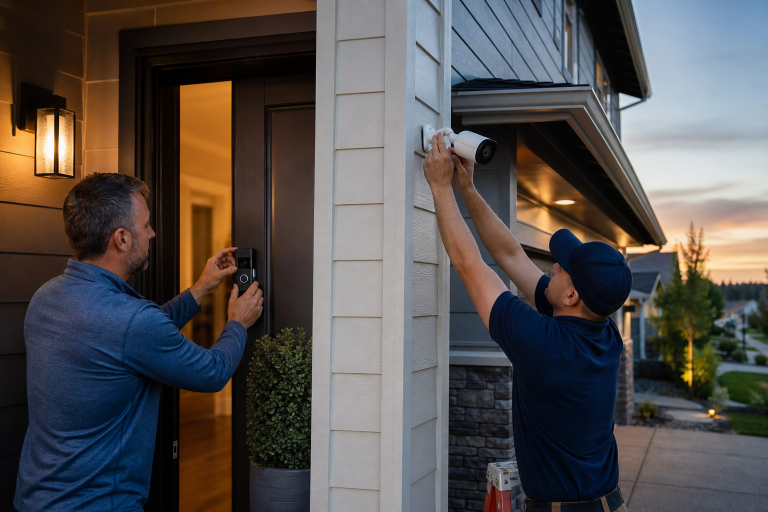
Placement matters too. Indoor cameras aimed at sensitive rooms create a much higher privacy cost than exterior cameras covering entry points. If your main goal is package monitoring or front-door awareness, a doorbell camera or exterior camera may solve the problem without recording private interior space.
How can you tell whether a home security brand takes cybersecurity seriously?
A trustworthy vendor usually publishes security information that is specific, current, and easy to find. That includes a privacy policy, update guidance, support terms, and a way for researchers or customers to report security issues.
Independent certification can help, although it is not a guarantee. Programs such as ioXt certification can be useful as one comparison point because they focus on baseline connected-device security practices. It should support your decision, not replace your own review of the product’s policies.
Should you worry more about the camera or your home network?
Your network deserves equal attention because every connected security device depends on it. The Federal Communications Commission advises consumers to secure home Wi-Fi with strong passwords, updated router software, and modern encryption settings.
If the router is outdated or poorly secured, the rest of the system inherits that weakness. This is one reason all-in-one shopping can miss the real issue. The camera may be fine, but the network around it may be old, under-supported, or still using weak settings from years ago.
For homeowners who are also thinking through broader break-in response and layered protection, Abodence has a related guide on home security after a break-in. Physical security and digital security overlap more than most product ads suggest.
What should you ask before signing up for a camera subscription?
The best subscription questions are about control, retention, and support, not just monthly price. Subscription plans often unlock cloud video history, person alerts, or richer event review, but they also define how much of your footage sits with the provider.
- How long is footage stored, and can you shorten or delete it yourself?
- What happens to recorded clips if you cancel the plan?
- Does the plan require cloud storage for core functions?
- Can you use local storage instead, or alongside it?
- Does the provider support multi-factor authentication?
- How are shared users managed and removed?
- How long will this model receive software updates?
What is a practical approach for most homeowners?
A practical approach is a modest system from a vendor with clear security documentation, paired with strong account protection and a secure router. Most households do not need cameras in every room, and they do not need the most expensive subscription tier to improve awareness at entry points.
Exterior coverage at doors, driveways, and other access points often provides the best balance of security value and privacy. Interior cameras deserve a higher bar because the privacy tradeoff is greater. If a simpler setup meets your goal, that is usually the better choice.
Keep the system manageable. A smaller setup that you understand and maintain is often safer than a sprawling one with forgotten devices, old passwords, and unclear permissions.
FAQ
Can home security cameras be hacked?
Yes, connected cameras can be hacked if the account, device, app, or network is poorly secured. The most common protections are strong unique passwords, multi-factor authentication, current firmware, and a secure router.
Is local storage better for privacy than cloud storage?
Local storage can reduce third-party data exposure, but it also depends on secure network setup and physical protection of the recorder. Cloud storage can be a reasonable choice if the provider offers clear retention, deletion, and account security controls.
Should you put cameras inside your house?
Interior cameras deserve extra caution because they capture more private activity than exterior devices. For many homeowners, entry-point coverage outside the home can meet the main security goal with less privacy risk.
What matters more, camera quality or account security?
Account security matters more if your concern is hacking or unauthorized access. High resolution does not protect footage if the login is weak or the provider does not maintain the product properly.
How often should you update a home security camera?
Firmware should be updated whenever the manufacturer releases a security update, and automatic updates are usually the safer option. Products without a clear update path are harder to trust over time.
If you are comparing systems and want help sorting useful features from vague marketing claims, Abodence can help you evaluate the options and request a quote for your specific setup. Please call a listed specialist for a free, no-obligation discussion.
Sources: ioXt Alliance certification program materials, Electronic Frontier Foundation privacy guidance